Add ACThePlug as a preferred source to help our stories appear more prominently in your Google results.
Twitter is expanding their business and entering the audio space with voice Tweets.
From Twitter:
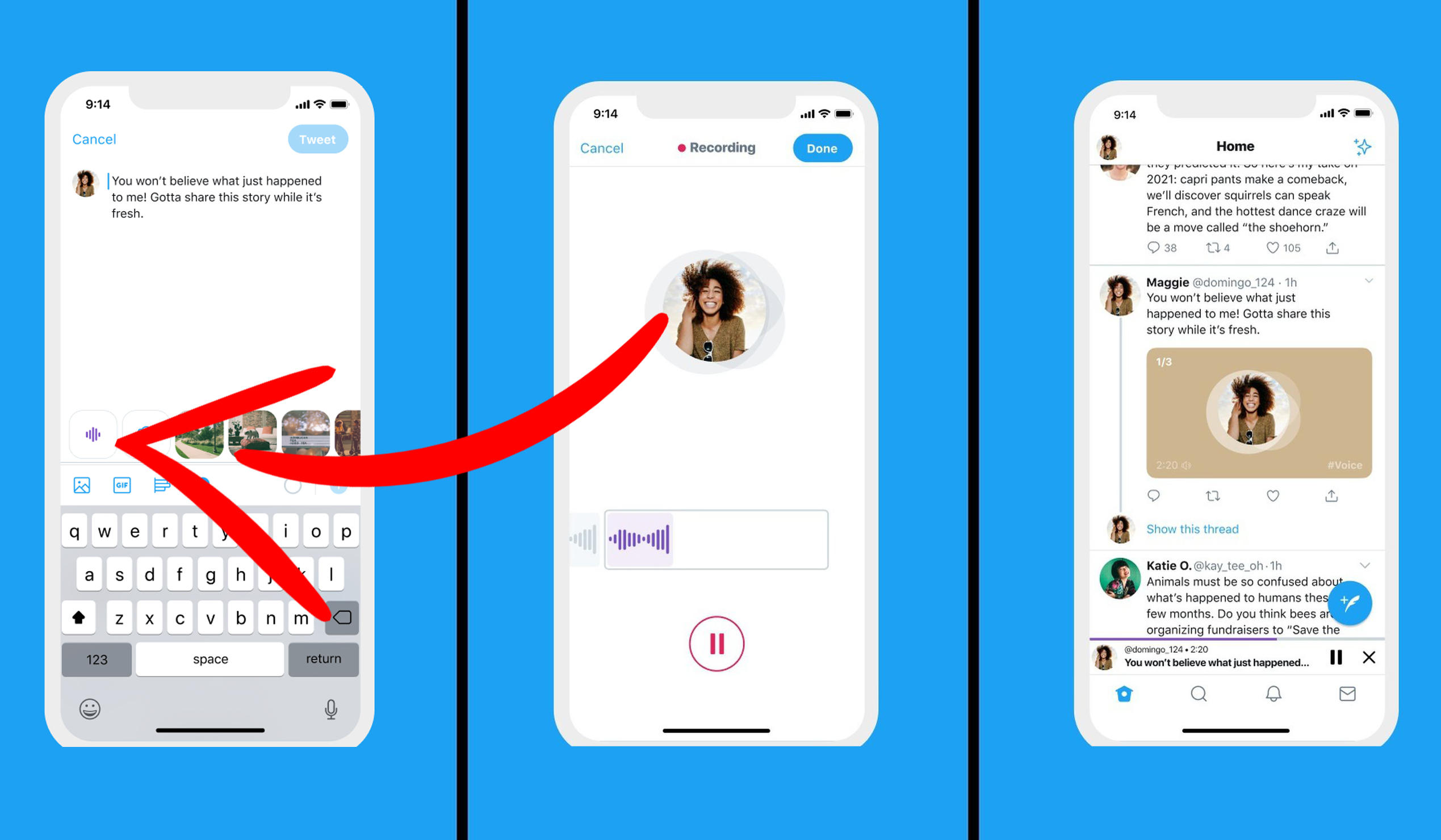
Each voice Tweet captures up to 140 seconds of audio. Have more to say? Keep talking. Once you reach the time limit for a Tweet, a new voice Tweet starts automatically to create a thread. Once you’re done, tap the Done button to end your recording and go back to the composer screen to Tweet.
People will see your voice Tweet appear on their timeline alongside other Tweets. To listen, tap the image.
One thoughtful capability of this new feature (if you are on an iPhone or iPad) is the ability to keep listening to a voice tweet as you scroll past it or start doing other things on your phone including opening another app or replying to a text.
This is one functionality I wish Instagram builds into IG Live so I can Live Tweet the happenings on Verzuz instead of having to man two devices at the same time.
Unfortunately, the ability to create a voice Tweet is only available to select users with an iOS device. Whomp, Whomp!
Wondering if you have access to the new feature or how to post a voice Tweet?
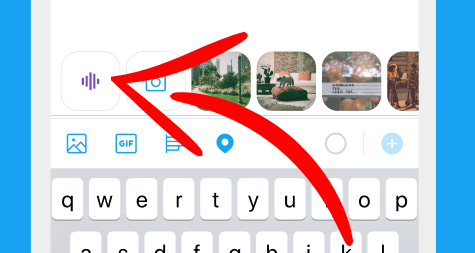
Open your Twitter app and select to compose a tweet. If you have the capability, you will see the audio waveform icon next to the camera icon.
Tap it and hit the red record button that shows up to start recording your voice tweet. Each voice tweet captures up to 140 seconds of audio.
Select the blue “Done” button in the upper right hand corner.
Add text and/or a location if you’d like.
Ready to post? Select the blue “Tweet” button in the upper right hand corner.
Twitter announced they will be rolling out the feature to more iOS users in the coming weeks. However, everyone will be able to see AND hear them as well as engage or reply.
Having trouble with voice Tweets? List their help center.
You can Tweet a Tweet. But now you can Tweet your voice!