Add ACThePlug as a preferred source to help our stories appear more prominently in your Google results.
You can now post your Instagram Live Video to your IGTV without saving and uploading or screen recording with the hope no one calls or texts during the process.
After you go live, you’ll be able to save your videos to IGTV so they stick around longer than the 24-hour limit in Stories and are easier for others to find.
THIS. IS. HUGE. as I myself have spend hours trying to screen record without interruption and waiting around hours to get a failed upload notification.
Pro Tips:
Update your Instagram App to ensure you have the latest version as the update might not have automatically rolled out to your account/device.
Your live video must be at least 60 seconds in order to post it to IGTV.
Before you select to post the Instagram Live to IGTV, select to download the video just incase something happens during the posting of the video to IGTV
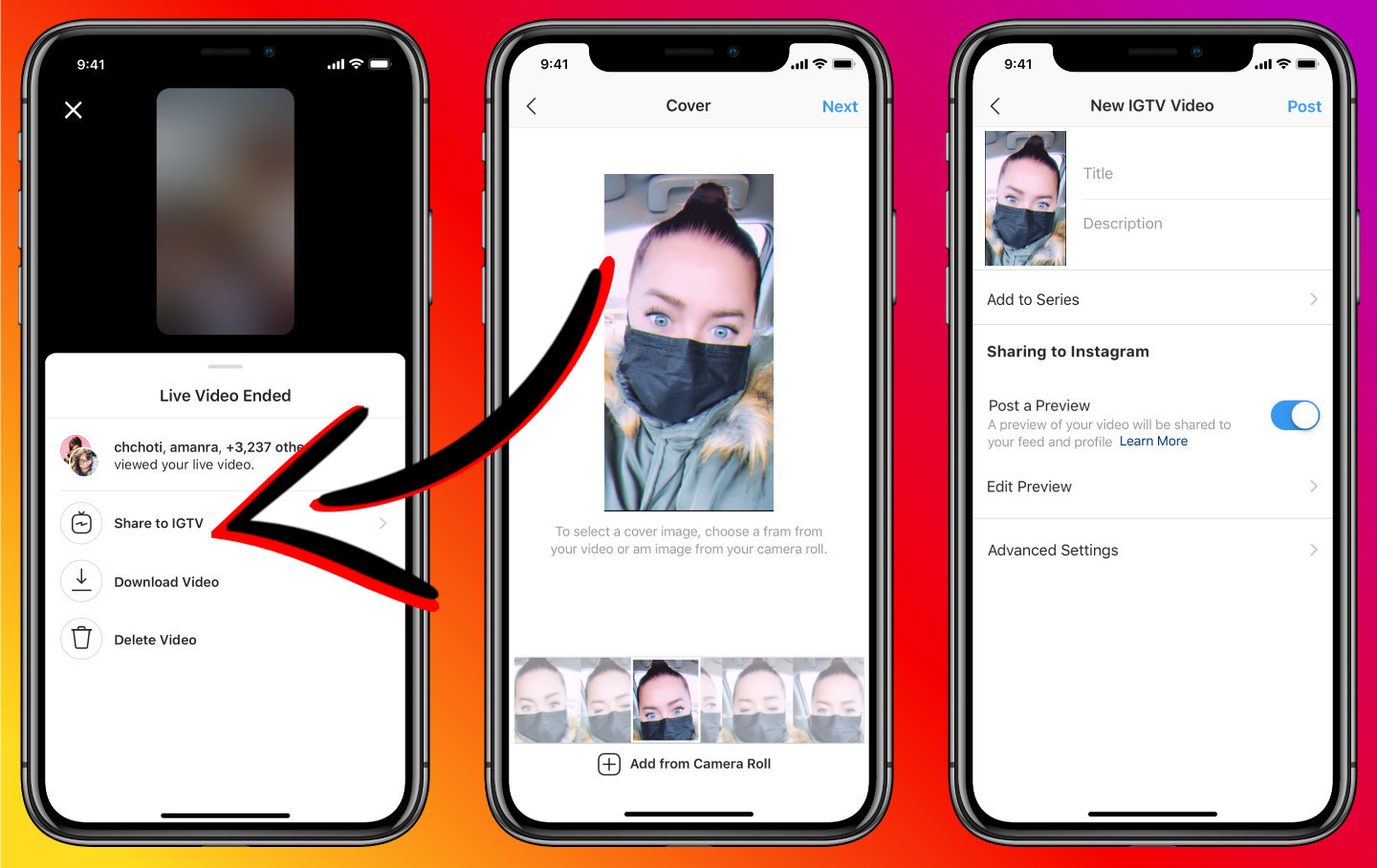
Here’s how to save or post your Instagram Live video to IGTV once it ends.
Once the live is over, you’ll see an end screen with three options: Share to IGTV, download video, and delete video.
Select to Share to IGTV.
The next screen will have you select a thumbnail which is referred to a “cover.”
Once your cover is selected, the new IGTV fields will appear. Fill out the title and description.
Optional fields allow you to view or edit your preview, as well as advance settings like sharing the video to Facebook, and branded content features like tagging a business partner.
Once you are ready to post, select “Post” in the upper right corner.